Internal linking is an important part of Technical SEO that connects different pages within the same website. These links create pathways that help users discover related content and help search engines crawl and understand the relationships between your pages.
A strong internal linking structure does more than connect pages. It supports your website architecture, helps distribute link equity, improves page discoverability, and creates a better navigation experience for users.
For example, a Technical SEO website may have a main Technical SEO page that links to topics such as Website Architecture, URL Structure, Internal Linking, Breadcrumbs, and Canonical Tags. These related pages can then link back to the main topic and to other relevant pages.
This creates a connected content structure that helps both users and search engines understand how your website’s topics relate to each other.
In this guide, you’ll learn what internal linking is, why it matters for Technical SEO, the benefits of a strong internal linking structure, its key elements, how to build an effective internal linking strategy, and the common mistakes you should avoid.
What Is Internal Linking in Technical SEO?
Internal linking in Technical SEO is the practice of creating links from one page of your website to another page on the same website. These links create connections between related pages and provide pathways for users and search engine crawlers to move through your website.
Internal links are an essential part of website architecture because they help organize your content and establish relationships between different pages. A well-planned internal linking structure makes important pages easier to discover and helps search engines understand how your content fits together.
An internal link is a hyperlink that points from one page on your website to another page on the same domain.
For example, if your Website Architecture article links to your URL Structure article, that link is an internal link.
Website Architecture
↓
URL Structure
A simple HTML example would look like this:
<a href=”/technical-seo/url-structure”>URL Structure</a>
Internal links can appear in different parts of a website, including:
- Main navigation
- Content sections
- Breadcrumbs
- Footer
- Sidebar
- Category pages
- Related content sections
However, contextual internal links within relevant content can provide particularly useful connections between related topics.
How Internal Linking Works
Internal linking creates a network of connected pages across your website.
Consider a Technical SEO content structure:
The Technical SEO page can link to Website Architecture, while the Website Architecture page can link to its related topics.
For example:
Technical SEO → Website Architecture → Internal Linking
This creates a logical pathway through your website.
Search engine crawlers can follow these links to discover pages, while users can use them to move from a broad topic to more specific information.
Internal linking also helps establish relationships between pages. When several related pages link to each other naturally, search engines can better understand the context and topic connections across your website.
Why Is Internal Linking Important for Technical SEO?
Internal linking is important for Technical SEO because it creates connections between pages and helps search engines discover, crawl, and understand your website content. It also helps users move between related pages without having to return to the main navigation every time.
A website with strong internal linking gives search engines clear pathways through its content. It also helps you organize related topics into meaningful groups and direct attention toward important pages.
Helps Search Engines Discover Pages
Search engine crawlers use links to discover new and existing pages. When an important page has relevant internal links pointing to it, crawlers can reach that page through different pathways within your website.
For example:
Technical SEO
↓
Website Architecture
↓
Internal Linking
Improves Website Crawling
Internal links create pathways that allow search engine crawlers to move from one page to another.
A well-connected website gives crawlers more logical routes through your content. This can help them discover important pages and understand how different sections of your website are connected.
For example:
Home
↓
Technical SEO
↓
Website Architecture
↓
URL Structure
↓
Related Articles
Helps Search Engines Understand Content Relationships
Internal links provide context about the relationship between different pages.
Suppose you have a main article about Technical SEO and separate articles about Website Architecture, URL Structure, and Internal Linking.
When these pages link to each other naturally, they create a clear topical relationship:
Technical SEO
↓
Website Architecture
↓
Internal Linking
This structure helps search engines understand that these pages belong to related topics and form part of a broader subject.
Supports Website Architecture
Internal linking is closely connected to website architecture.
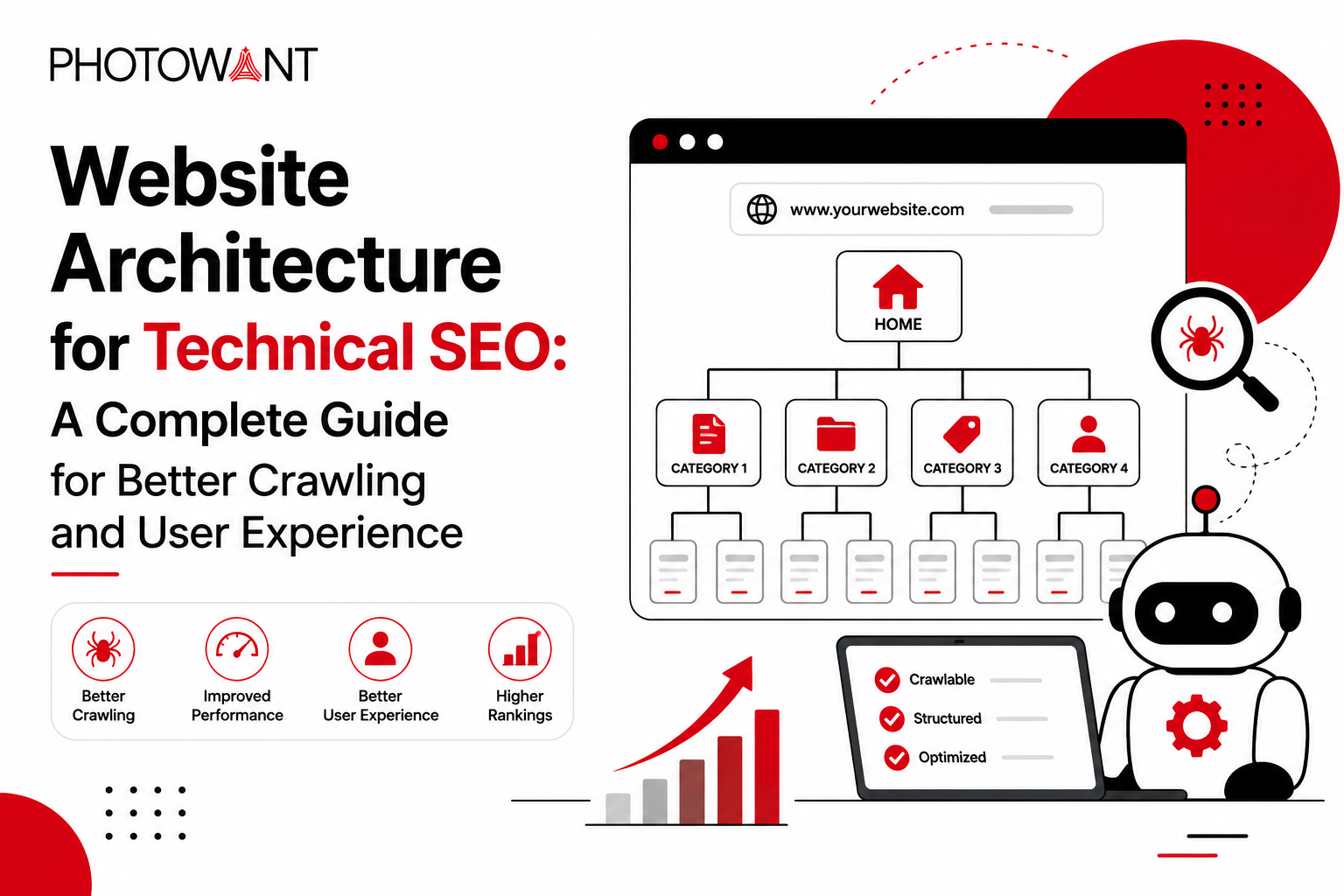
Your website architecture determines how your pages are organized, while internal links connect those pages together.
For example:
Technical SEO
│
└── Website Architecture
│
├── URL Structure
├── Internal Linking
├── Breadcrumbs
└── Canonical Tags
Internal links create the pathways between these pages.
Helps Important Pages Gain Visibility
Internal links can help highlight the pages that matter most to your website.
If an important page receives relevant links from several other pages, search engines can more easily discover it and understand its importance within your website structure.
For example, if Technical SEO is an important topic for your website, several related articles can naturally link back to the main Technical SEO page.
This creates a content cluster:
Technical SEO
/ | \
/ | \
Website Architecture Crawling Performance
|
/ | \
URL Internal Breadcrumbs
Linking
This type of structure helps connect your broader topic with its supporting content.
What Are the Benefits of Having a Strong Internal Linking Structure?
A strong internal linking structure provides several benefits for both users and search engines. It creates clear connections between related pages, improves navigation, supports content discovery, and helps distribute internal authority throughout your website.
When internal links are planned around relevance and website hierarchy, they can make your website easier to understand, navigate, and manage.
Improves Website Navigation
Internal links give users additional pathways to move through your website.
Instead of returning to the main menu or searching for another article, users can follow relevant links within the content. This makes it easier to move from a general topic to a more specific topic.
Helps Users Discover Related Content
A visitor may arrive on your website through a single article but still need information about related topics. Internal links can guide that visitor toward useful content.
Supports Important Pages
Internal links can help you highlight pages that are important to your website.
For example, if Technical SEO is a core topic, related articles can link back to the main Technical SEO page when it is contextually relevant.
Strengthens Topical Authority
Internal linking can help demonstrate relationships between content covering the same broader subject.
For example, your Technical SEO content can include separate articles about:
- Website Architecture
- URL Structure
- Internal Linking
- Crawling and Indexing
- XML Sitemaps
- Robots.txt
- Core Web Vitals
When these pages link to one another naturally, they form a connected topical cluster.
This makes it easier for users to explore a subject comprehensively and helps search engines understand how your content relates across the website.
Creates a Better User Experience
Good internal linking helps users find the next piece of information they need.
Instead of forcing visitors to search manually, relevant internal links provide useful next steps directly within the content.
A reader who wants to learn more about URL Structure can follow the link immediately.
The goal is not to add links everywhere. The goal is to add the right links in the right context.
Helps Build a Scalable Content Structure
Internal linking becomes increasingly important as your website grows.
A small website may have only a few pages, but a large content website can contain hundreds or thousands of URLs. Without a clear linking strategy, valuable pages can become difficult to
How to Build an Effective Internal Linking Strategy?
A strong internal linking strategy starts with your website structure and connects pages based on relevance, importance, and user intent. Instead of adding links randomly, create a clear system that connects your pillar pages, cluster content, and other important pages.
Start With Your Website Architecture
Before adding internal links, understand how your website is organized.
Your website architecture should identify:
- Main pillar pages
- Categories
- Subcategories
- Cluster articles
- Important service or product pages
For example:
Technical SEO
│
└── Website Architecture
│
├── URL Structure
├── Internal Linking
├── Breadcrumbs
└── Canonical Tags
Once this hierarchy is clear, you can create internal links between pages that naturally belong together.
Connect Pillar Pages With Cluster Content
Pillar and cluster content should form a connected network.
Your main pillar page can link to supporting cluster pages, while those cluster pages can link back to the pillar page when relevant.
For example:
Technical SEO
↓
Website Architecture
↓
URL Structure
The Website Architecture page can link to URL Structure, while the URL Structure article can link back to Website Architecture.
This creates a clear relationship between the broader topic and its supporting content.
Link Related Pages Contextually
Look for natural opportunities to connect related pages within your existing content.
For example, while explaining website organization, you could write:
A well-planned website architecture creates a logical hierarchy, while URL Structure represents that hierarchy through clear and descriptive web addresses.
The anchor text URL Structure can link directly to your URL Structure article.
The link works because it adds useful information to the reader rather than interrupting the content.
Prioritize Important Pages
Not every page on your website has the same importance.
Identify pages that contribute significantly to your website’s goals and make sure they have relevant internal links from other pages.
These may include:
- Pillar pages
- Important category pages
- Service pages
- Product pages
- High-value informational content
For example, if Technical SEO is an important topic on your website, relevant supporting articles can link back to the Technical SEO pillar page.
This creates a stronger connection between your important pages and supporting content.
Regularly Audit Internal Links
Internal linking should not stop after you publish an article.
As your website grows, pages may be deleted, URLs may change, and new articles may create additional linking opportunities.
Regular audits can help you identify:
- Broken internal links
- Orphan pages
- Missing internal links
- Irrelevant links
- Redirected URLs
- Pages with weak internal connections
When you publish a new article, also review older relevant articles and look for opportunities to link to the new content.
This creates a continuous internal linking process instead of treating internal linking as a one-time task.
Relevant content → Useful context → Natural internal link → Related page
This keeps your internal linking strategy focused on both SEO and user experience.
Common Internal Linking Mistakes to Avoid
A strong internal linking strategy can improve website navigation, page discovery, and Technical SEO. However, poorly planned internal links can create confusion for users and make your website structure less effective.
Avoiding common internal linking mistakes helps maintain a clean, relevant, and useful linking structure.
Using Too Many Internal Links
Adding too many internal links to a page can make the content difficult to read.
Internal links should support the content rather than distract users from it. Instead of linking every possible keyword, focus on pages that provide genuine value to the reader.
Better approach:
- Link to relevant pages.
- Prioritize important resources.
- Use links naturally within the content.
- Avoid unnecessary repetition.
There is no need to follow a fixed number of internal links per page. Relevance and usefulness should guide your decisions.
Conclusion
Internal linking is a core component of Technical SEO because it connects the pages within your website and creates a clear pathway through your content. It helps search engines discover pages, understand relationships between topics, and navigate your website more efficiently.
For users, internal links make it easier to discover related information and move naturally from one topic to another. For website owners, they provide a practical way to organize content, support important pages, and build a scalable website structure.
An effective internal linking strategy should focus on relevance, descriptive anchor text, contextual placement, pillar-cluster relationships, and regular audits. Avoiding irrelevant links, excessive linking, broken links, orphan pages, and generic anchor text will help keep your internal linking structure clean and useful.
Internal linking also works closely with other elements of Website Architecture, including URL Structure, Breadcrumbs, Canonical Tags, Site Hierarchy, and Website Navigation. When these elements work together, they create a well-organized website that is easier for users to navigate and easier for search engines to understand.
As your website grows, continue reviewing and improving your internal links. A strong internal linking structure is not a one-time task—it is an ongoing part of maintaining a healthy Technical SEO foundation.

