HomeServicesAbout UsContact usBlog Start Project →
Home / Training & Development / Mobile Content Creation

Content Creator — From Idea to Impact

Mobile Content
Creation Course
Your Phone.
Your Next Story.

Photowant’s Mobile Content Creation Course helps you plan, shoot, edit and publish short-form videos with your smartphone. Build storytelling skills, practise Reels and develop content for your personal brand or business.

  • Learn smartphone framing, lighting and audio
  • Create Instagram Reels and YouTube Shorts
  • Develop a portfolio and a repeatable workflow
Explore the Curriculum
1 monthFour-week course plan
20 sessionsRecommended learning schedule
3–5 videosPortfolio project target
Raunak ShankarCourse mentor

Photowant · Mobile Content Creation Training

Mobile Content Creation Training from Idea to Upload

A useful video starts before you press record. Learn how to choose an audience, shape an idea, capture clear footage and finish a video people can follow.

Think like a creator

  • Choose a niche and content pillars
  • Research ideas and audience questions
  • Write hooks, scripts and calls to action

Create with your smartphone

  • Control focus, exposure and framing
  • Work with natural light and simple setups
  • Record clearer speech and useful B-roll

Publish with a purpose

  • Edit pacing, captions and sound
  • Prepare Reels, Shorts and talking-head videos
  • Use content calendars and review analytics

Photowant · Mobile Content Creation Training

Built for People Ready to Start Creating

Beginners and aspiring creators

  • Learn a complete content workflow
  • Build confidence in front of the camera
  • Practise before building your portfolio

Entrepreneurs and marketers

  • Show products and explain services
  • Plan useful content for your audience
  • Create a consistent publishing routine

Freelancers and photographers

  • Add mobile video to your creative skills
  • Understand brand briefs and UGC
  • Practise proposals, pricing and delivery

Photowant · Mobile Content Creation Training

Your Four-week Mobile Content Creation Curriculum

Follow the journey from content strategy to a finished portfolio. The proposed schedule includes five sessions each week, with assignments and independent practice.

Week 1Find Your Voice and Plan Your Content
  • Day 1 — Creator opportunities and social platforms
  • Day 2 — Niche, audience, personal branding and content pillars
  • Day 3 — Storytelling, hooks, scripts and calls to action
  • Day 4 — Research, trends, references and ideas
  • Day 5 — Your content strategy and first seven-day calendar
Week 2Shoot Better Videos with Your Smartphone
  • Day 6 — Phone settings, exposure, focus, resolution and frame rates
  • Day 7 — Composition, angles, shot sizes and movement
  • Day 8 — Natural light, continuous light and reflectors
  • Day 9 — Audio, voiceovers, interviews and on-camera confidence
  • Day 10 — Practical product, lifestyle or personal-brand Reel
Week 3Edit and Publish Your Short-form Videos
  • Day 11 — Select footage, organise files and build a timeline
  • Day 12 — Cuts, pacing, transitions and B-roll
  • Day 13 — Colour correction, music, sound and subtitles
  • Day 14 — Practise mobile editing for Reels and Shorts
  • Day 15 — Finish a video with a caption, cover and CTA
Week 4Build Your Portfolio and Understand Client Work
  • Day 16 — Profile positioning, discoverability and analytics
  • Day 17 — Content calendars, batch production and workflow
  • Day 18 — Brand briefs, user-generated content and proposals
  • Day 19 — Pricing, pitching, revisions, usage rights and delivery
  • Day 20 — Final presentation, portfolio review and feedback

Confirm session timings and the final batch calendar before enrolling.

Photowant · Mobile Content Creation Training
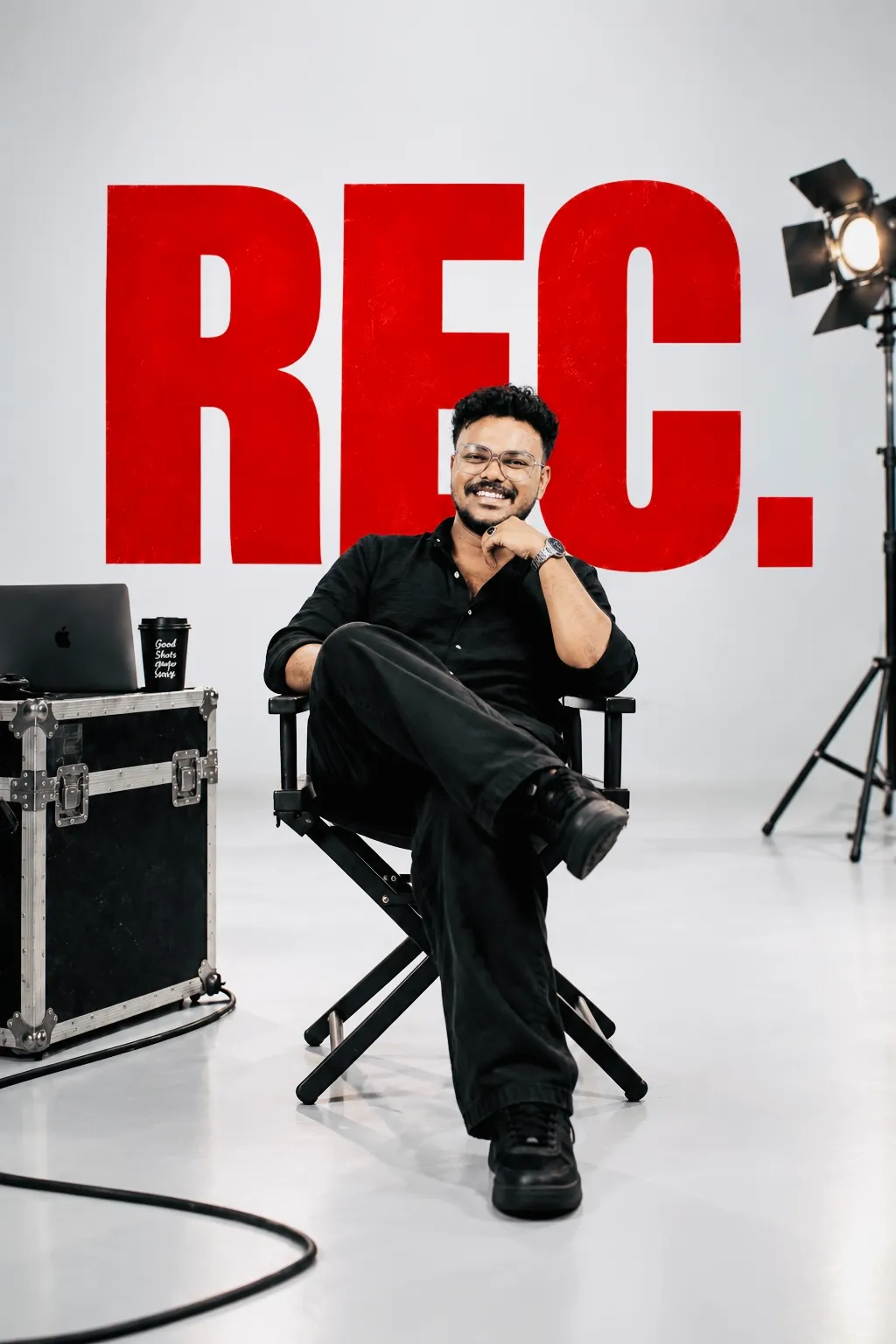
Meet Your Mentor, Raunak Shankar

Raunak Shankar, Photowant co-founder and Mobile Content Creation Course mentor

Co-Founder & Creative Director · Photowant

Raunak Shankar

Learn to notice the light, frame and visual detail behind a stronger shot. Raunak brings a background in fashion, model portfolios and brand photography to his mentoring.

  • Lighting — natural light and controlled studio setups
  • Composition — framing, angles and visual balance
  • Creative direction — concepts, mood boards and shot lists
  • Subject direction — pose, expression and movement
  • Brand imagery — product details and visual consistency
Explore Raunak’s Work

Photowant · Mobile Content Creation Training

Build a Portfolio While You Learn

Plan your content

  • Define your creator profile and niche
  • Write three scripts with hooks and CTAs
  • Build a seven-day practice calendar

Make and refine

  • Shoot a product and lifestyle video
  • Record a talking-head video
  • Edit two complete short-form videos

Present your direction

  • Work towards 3–5 polished portfolio pieces
  • Create a 30-day content calendar
  • Draft a service package or personal publishing plan

These are learning targets. Your portfolio develops through attendance, practice, assignments and feedback.

Photowant · Mobile Content Creation Training

Watch the Details That Make a Video Work

Look for the opening hook, lighting, framing, pacing and sound. Use these selected videos as creative references for your own ideas.

These references are not presented as student projects or examples filmed exclusively on smartphones.

Photowant · Mobile Content Creation Training

Bring Your Phone and Your Ideas

What to bring

  • A smartphone with a working camera
  • Headphones, charger and free storage
  • A tripod or phone mount if available

What you will practise

  • Stable shots and useful camera movement
  • Lighting, framing and voice recording
  • Mobile editing, captions and export

Before your first class

  • Ask which editing app your batch will use
  • Confirm shared equipment and studio access
  • Check whether you need a laptop or paid tools

The course focuses on smartphone creation. Ask about suitable mobile editors, such as VN, and any optional desktop tools before installing or purchasing software.

Photowant · Mobile Content Creation Training

Mobile Content Creation Course Fees & Batches

Choose your next step

Get the course details before you enrol

Share your city and what you want to create. Request the current fee, available batch, teaching format and inclusions.

  • One-month, four-week course plan
  • Recommended schedule of 20 sessions
  • Practical shooting, editing and portfolio work
  • Confirm venue, timings and payment terms

Photowant · Mobile Content Creation Training

Tell Us What You Want to Create

Personal-brand videos, product Reels or content for clients? Share your goal and ask about the next batch.

By submitting, you agree that Photowant may contact you about your course enquiry. Prefer email? info@photowant.com.

Photowant · Mobile Content Creation Training

Find Photowant Mobile Content Creation Training Near You

Explore course enquiries for your city. The current course plan names Kochi as the venue; ask our team about options for other locations.

Photowant · Mobile Content Creation Training

Mobile Content Creation Course FAQs

What is a Mobile Content Creation Course?

It teaches you to plan, film, edit and publish content using a smartphone. Photowant’s course connects storytelling, lighting, audio, short-form editing and personal branding in one practical learning plan.

How long is the course?

The course plan covers one month across four weeks. It recommends 20 sessions, five per week, plus assignments. Ask the team for confirmed session timings and batch dates.

Do I need a professional camera?

The course focuses on smartphone content creation. Bring a phone with a working camera and enough storage. Confirm any extra accessories and laptop requirements before joining.

Can beginners join?

The curriculum begins with content ideas, audience selection and basic production skills. Beginners, aspiring creators, entrepreneurs and freelancers can enquire about suitability.

Will I learn Instagram Reels and YouTube Shorts?

Yes. The curriculum covers short-form scripts, smartphone filming, editing, subtitles, covers, captions and calls to action for Reels and Shorts.

Who is the course mentor?

Raunak Shankar mentors the course. He is Photowant’s Co-Founder and Creative Director, with a background in fashion, modeling and brand photography.

What are the course fees?

Contact Photowant for the current fee, available batch, inclusions and payment terms. Review the complete offer before confirming enrolment.

Will I build a portfolio?

The plan targets three to five finished videos, a content calendar and a service package or personal publishing plan. You develop these through practical assignments and feedback.

Does the course cover client work?

Yes. It introduces brand briefs, UGC, pitching, pricing, revisions and usage rights. Learning these skills does not guarantee clients, followers or income.

Is a certificate included?

Ask the team to confirm the certificate of completion, attendance requirements and project-submission criteria for your batch.

Where does the training take place?

The supplied course plan names Photowant, Kochi, for practical studio-based learning. Confirm the venue and ask about availability elsewhere before booking.

Photowant · Mobile Content Creation Training

Make Your Next Idea Worth Watching

Learn the process. Practise with your phone. Build content you can confidently share.

Want to focus on post-production? Explore our Video Editing Course.

Let’s Talk About Your Course

Get fees, batch details and answers to your questions.

Photowant may contact you about this course enquiry.

Let’s Work Together

Start Your
Project.

▼

We reply within 24 hours.

Message Sent!

We’ll be in touch within 24 hours.