A successful Content SEO strategy starts with more than creating valuable content it begins with organizing that content effectively. This is where website architecture plays a vital role. Website architecture is the structural framework that determines how webpages are organized, connected, and presented to users and search engines.
A well-planned website architecture makes it easier for visitors to navigate your website and find relevant information. At the same time, it helps search engine crawlers discover, understand, and index your pages efficiently. Whether you manage a blog, an eCommerce store, a business website, or an educational platform, a logical website structure improves user experience, strengthens internal linking, and supports long-term SEO performance.
As your website grows, new pages should fit naturally into an organized hierarchy instead of becoming isolated or difficult to find. A scalable architecture ensures that every page has a purpose, belongs to a relevant category, and contributes to your overall Content SEO strategy.
In this guide, you’ll learn what website architecture is, why it matters, the different website structure models, the essential components of an SEO-friendly architecture, planning best practices, common mistakes to avoid, and how to maintain a well-structured website.
What is Website Architecture?
Website architecture is the way a website’s pages, categories, navigation, and internal links are organized to create a logical structure for both users and search engines.
Instead of treating webpages as separate pieces of content, website architecture connects them through a clear hierarchy that helps users move from broad topics to more specific information.
A simple website hierarchy looks like this:
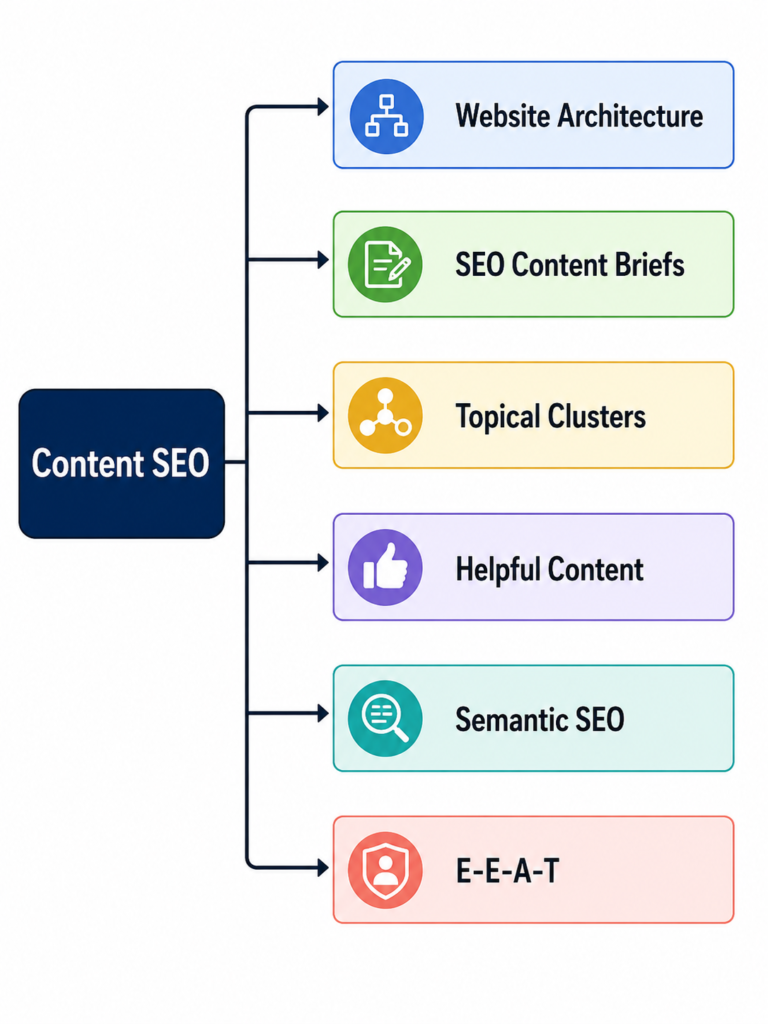
This structure helps visitors understand where information belongs while enabling search engines to identify relationships between pages.
How Website Architecture Works
Every page on a website is connected through navigation menus, categories, internal links, breadcrumbs, and sitemaps. Together, these elements create pathways that allow visitors to explore content naturally.
For search engines, these pathways act as signals that explain which pages are related, which topics are most important, and how the website is organized.
For example, if your Content SEO pillar includes several sub-pillars, the structure might look like this: add img
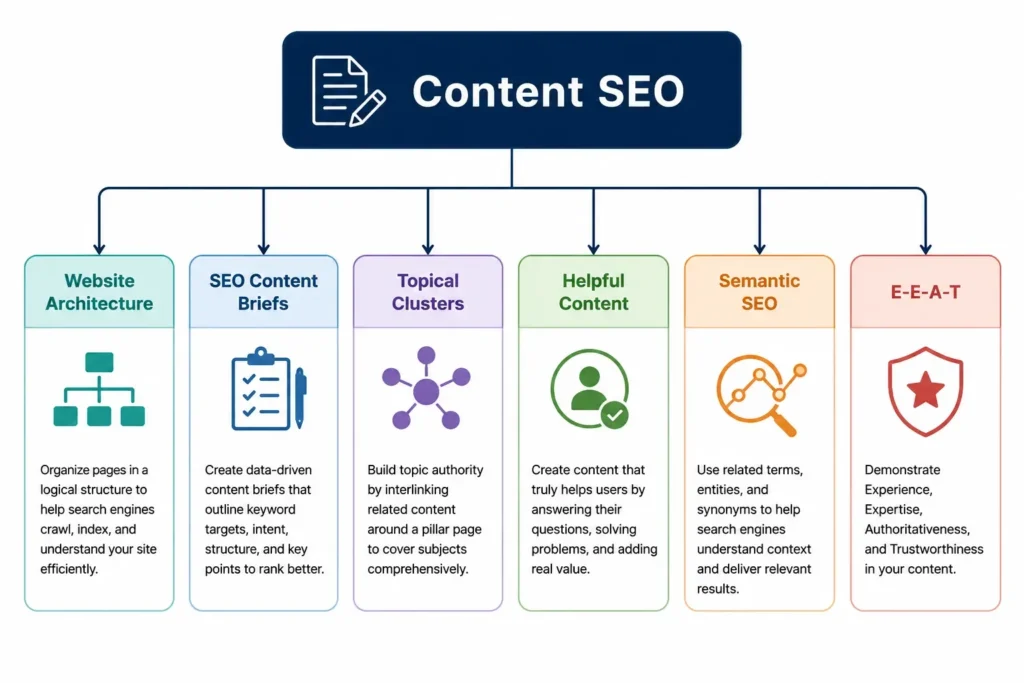
This organization reinforces topical relationships and makes the website easier to understand.
Why Website Architecture is Important
Website architecture directly affects how users interact with your website and how search engines evaluate it. A well-organized structure benefits both usability and SEO.
Improves User Experience
Visitors should be able to locate information quickly without navigating through unnecessary pages. Clear menus, logical categories, and meaningful internal links reduce confusion and encourage users to explore more content.
A positive user experience often leads to:
- Longer sessions
- Lower bounce rates
- Higher engagement
- Better conversion opportunities
Supports Better SEO
Search engines analyze how webpages connect with one another. A logical website hierarchy helps Google understand your content, identify important pages, and recognize topical relationships.
Strong architecture also supports:
- Better content discoverability
- Improved internal linking
- Clear topic organization
- Stronger topical authority
Enhances Crawlability and Indexing
Search engine crawlers discover new pages by following links.
If important pages are buried deep within your website or disconnected from the rest of the content, they may be crawled less efficiently.
An organized website architecture improves crawlability through:
- Logical navigation
- Internal links
- XML sitemaps
- Breadcrumb navigation
This helps search engines discover and index important pages more effectively.
Supports Website Growth
As websites expand, maintaining a consistent structure becomes increasingly important.
A scalable architecture allows you to publish new pages without creating duplicate categories, confusing navigation, or disconnected content.
Types of Website Architecture Models
Different websites require different structures depending on their purpose and size. The following models are the most commonly used.
Hierarchical Structure
The hierarchical or tree structure is the most popular website architecture model.
It organizes content from broad categories into smaller subcategories.
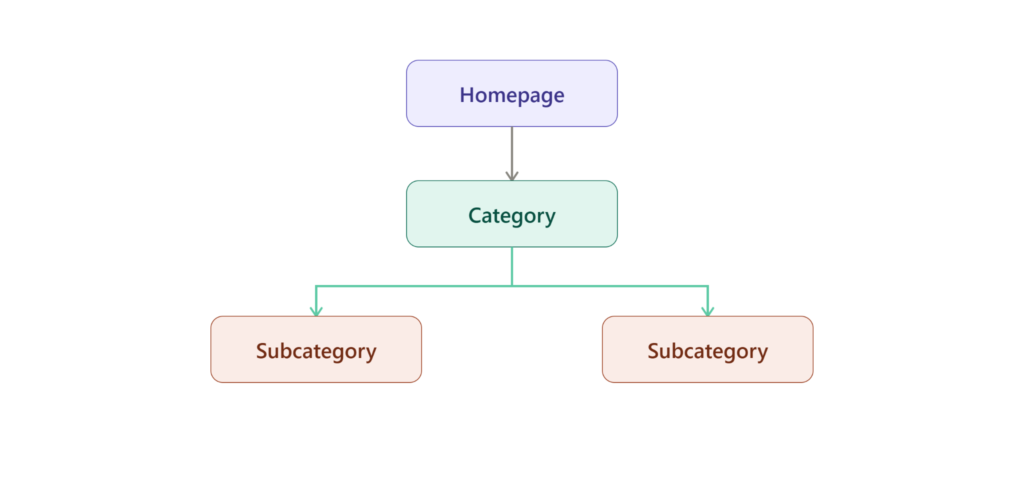
This model is ideal for blogs, business websites, educational platforms, and most content-focused websites because it provides a clear and scalable hierarchy.
Sequential Structure
A sequential structure guides users through information in a specific order.
Introduction
↓
Step 1
↓
Step 2
↓
Conclusion
This model works well for tutorials, online courses, onboarding processes, and multi-step forms where users should follow a predefined path.
Matrix Structure
A matrix or webbed structure allows users to navigate between related pages through contextual internal links instead of following a single path.
For example, a reader on the Website Architecture page may naturally continue to articles about Internal Linking, Semantic SEO, or Topic Clusters.
This flexible navigation encourages deeper exploration and strengthens topical relationships across your website.
Database Structure
Large websites such as eCommerce stores, travel portals, and SaaS platforms often use database-driven architecture.
Instead of manually creating every page, information is dynamically generated based on user searches or filters.
This approach supports thousands of pages while maintaining organized navigation.
Flat vs. Deep Website Structure
A flat architecture keeps important pages close to the homepage, making them easier for users and search engines to access.
A deep architecture places pages several levels below the homepage.
For most websites, a balanced structure is recommended. Important pages should generally be reachable within three to four clicks while maintaining logical categories and subcategories.
Key Components of Website Architecture
An SEO-friendly website architecture is built from several interconnected components.
Homepage
The homepage serves as the central hub of your website. It should guide visitors to the most important sections rather than attempting to link directly to every page.
Navigation Menu
Navigation menus help users move between important sections of the website.
A good navigation menu is:
- Simple
- Consistent
- Easy to understand
- Available on all devices
Avoid overcrowding the menu with unnecessary links.
Categories and Subcategories
Categories organize broad topics, while subcategories divide them into more specific sections.
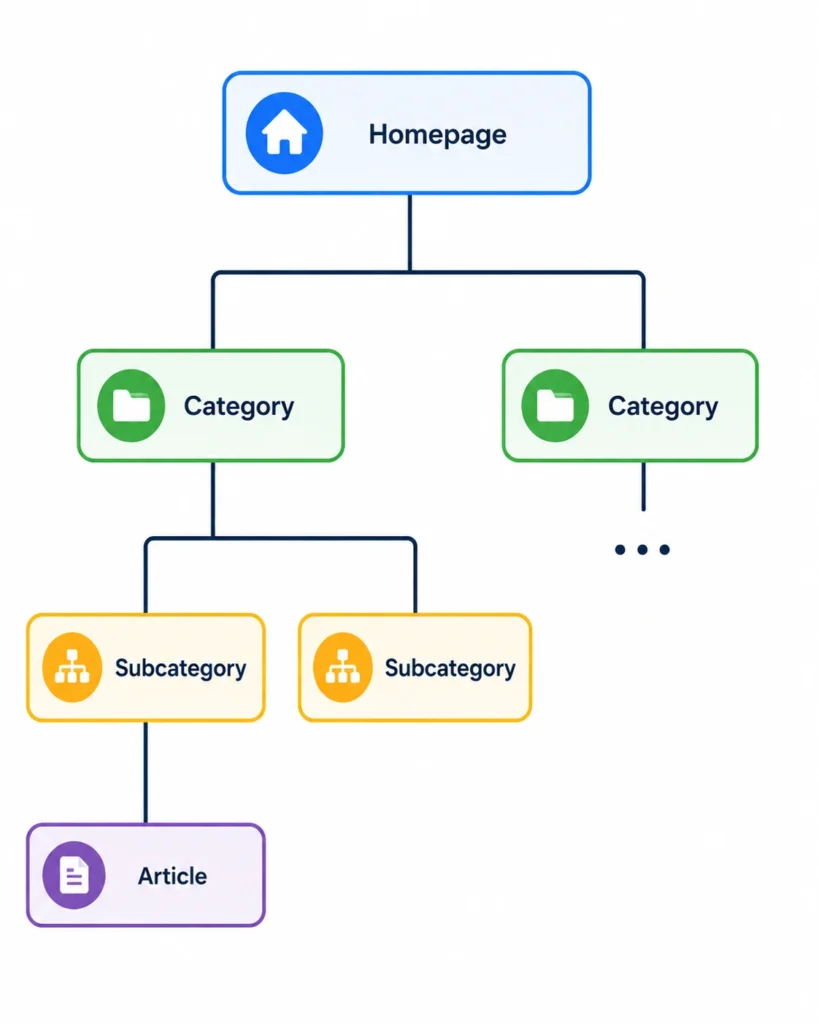
A clear taxonomy improves navigation and simplifies future content expansion.
Internal Linking
Internal links connect related pages within your website.
For example, this article should naturally connect to guides on:
- SEO Content Briefs
- Topical Clusters
- Semantic SEO
- Helpful Content
- E-E-A-T
These links help users continue learning while helping search engines understand the relationship between topics.
Breadcrumb Navigation
Breadcrumbs show users where they are within the website hierarchy.
Example:
Home → Content SEO → Website Architecture
Breadcrumbs improve navigation and reinforce the structure of your website.
URL Structure
URLs should clearly reflect your content hierarchy.
Example:
example.com/content-seo/website-architecture
Clean, descriptive URLs improve readability and provide additional context for search engines.
XML Sitemap and HTML Sitemap
An XML sitemap helps search engines discover important pages, while an HTML sitemap helps users navigate large websites.
Keeping both updated improves accessibility and crawl efficiency.
Planning an Effective Website Architecture
A successful website architecture begins with planning rather than adding pages randomly. Every new page should fit into a logical hierarchy that supports both user navigation and Content SEO. A structured plan also makes future website expansion easier without disrupting the existing organization.
Competitor Benchmarking
Analyze well-performing websites in your industry to understand how they organize their categories, navigation, and content hierarchy. The goal is not to copy competitors but to identify effective structural patterns that improve usability and search visibility.
Content Audit
If your website already contains content, review every page before redesigning the architecture. Remove outdated pages, update valuable content, merge overlapping articles, and ensure each page has a clear purpose within the hierarchy.
During the audit, pay special attention to:
- Orphan pages that have no internal links.
- Broken links that interrupt navigation.
- Duplicate content targeting the same search intent.
Cleaning up these issues creates a stronger foundation for future content.
User Persona and Keyword Planning
Website architecture should reflect how users search for information.
Begin by understanding your audience and grouping related keywords according to search intent. Instead of creating multiple pages targeting similar keywords, organize them into logical topic groups.
For example:
Add image
User Flow and Visual Sitemap
Before publishing new content, create a visual sitemap that outlines how visitors will move through your website.
Example:
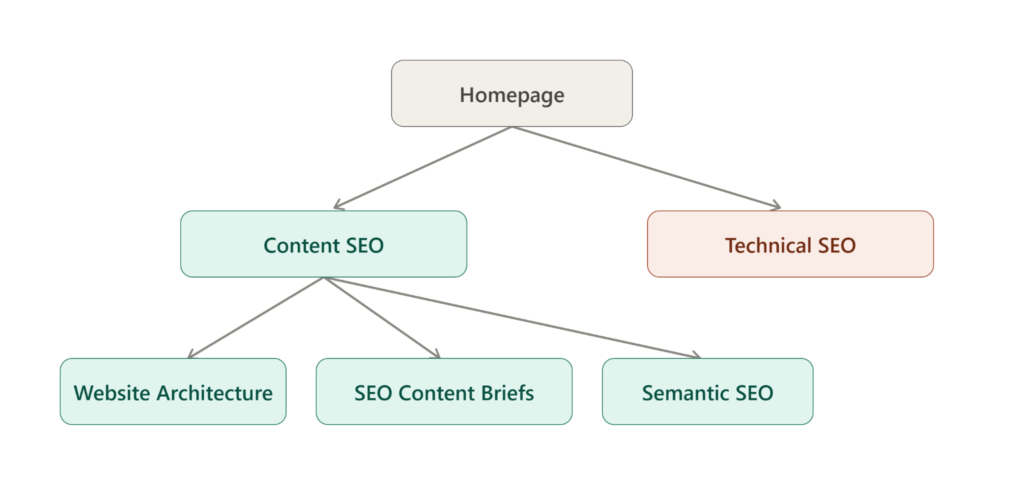
Planning user flow helps visitors reach relevant information quickly while supporting natural internal linking between related topics.
SEO Best Practices for Website Architecture
A well-planned structure becomes more effective when combined with SEO best practices that improve navigation, crawlability, and topical relevance.
Build Topic Clusters Around Pillar Pages
Rather than publishing isolated articles, organize related content around a central pillar page.
For example, Content SEO serves as the pillar, while Website Architecture, SEO Content Briefs, Topical Clusters, Helpful Content, Semantic SEO, and E-E-A-T act as supporting sub-pillars.
This structure helps search engines understand the relationships between topics and strengthens topical authority.
Keep Click Depth Low
Important pages should be accessible within three or four clicks from the homepage. This improves both user experience and crawl efficiency by making valuable content easier to discover.
Design for Mobile Users
Most users browse websites on mobile devices. Ensure your navigation menus, search function, and page hierarchy remain easy to use across different screen sizes.
Strengthen Internal Linking
Internal links should connect related pages naturally.
For example, this article can link to:
- SEO Content Briefs
- Topic Clusters
- Internal Linking
- URL Structure
- Semantic SEO
These connections guide readers to additional information while reinforcing semantic relationships.
Avoid Keyword Cannibalization
Do not create multiple pages targeting the same search intent. Instead, publish one comprehensive page and support it with related articles that address distinct aspects of the topic.
Common Website Architecture Problems
Even a well-designed website requires regular maintenance. As new pages are added, structural issues can develop over time.
Poor Navigation
Complicated menus, inconsistent category names, and excessive navigation options make it difficult for users to find information.
Orphan Pages
Pages without internal links are difficult for users and search engines to discover. Every important page should connect naturally with related content.
Broken Links
Broken internal links interrupt navigation and waste crawl resources. Regularly review and update links when pages move or are removed.
Duplicate Content
Publishing multiple pages covering the same topic weakens topical relevance and may create keyword cannibalization. Consolidate overlapping content whenever possible.
404 Errors
Broken URLs create a poor user experience. Redirect moved pages and fix outdated internal links to maintain a healthy website structure.
How to Audit Website Architecture
Regular audits help ensure your website continues to perform efficiently as it grows.
A basic website architecture audit should include:
- Reviewing crawlability and indexing.
- Checking internal links.
- Analyzing navigation menus.
- Inspecting URL structures.
- Validating XML sitemaps.
- Identifying crawl errors such as broken links and 404 pages.
Auditing your architecture periodically helps maintain an organized and scalable website.
Tools for Website Architecture Analysis
Several SEO tools can simplify website architecture analysis.
| Tool | Primary Purpose |
| Google Search Console | Monitor indexing, crawl status, and XML sitemaps |
| Google Analytics | Understand user navigation and engagement |
| Screaming Frog SEO Spider | Detect broken links, redirects, and orphan pages |
| Sitebulb | Visualize website hierarchy and internal linking |
| Ahrefs Site Audit | Identify technical SEO and architecture issues |
| Semrush Site Audit | Analyze crawlability, internal links, and overall site health |
These tools provide valuable insights for improving website organization and maintaining technical health.
Conclusion
Website architecture is the structural foundation that supports successful Content SEO. By organizing pages into a logical hierarchy, creating intuitive navigation, and connecting related content through internal links, you make your website easier for both users and search engines to understand.
An effective architecture is not only about improving crawlability or navigation it also helps build topical authority by showing clear relationships between your content. As your website expands, maintaining a scalable structure ensures that new pages fit naturally into your existing hierarchy without creating confusion or duplication.
To maximize long-term SEO performance, treat website architecture as an ongoing process rather than a one-time setup. Regular audits, thoughtful planning, and continuous improvements will keep your website organized, user-friendly, and ready to support your broader Content SEO strategy. From here, you can deepen your content ecosystem by exploring related topics such as SEO Content Briefs, Topical Clusters, Helpful Content, Semantic SEO, and E-E-A-T, all of which work together to strengthen your website’s overall authority.

