Artificial intelligence is changing how people work. Today, AI tools can help with writing, research, coding, design, data analysis, and business operations.From students to business owners, many people now use AI to complete tasks faster. However, choosing the right tool can be difficult. There are thousands of AI-powered platforms available.This guide explains AI tools and their uses, their major categories, benefits, and how to choose the right one for your needs.
What Are AI Tools?
AI tools are software applications powered by artificial intelligence that can perform tasks that normally require human intelligence, such as writing, designing, analyzing data, answering questions, generating code, and creating images, audio, and video.
Popular AI Tools and Their Uses
| AI Tool | Category | What It Can Do |
| ChatGPT | AI Assistant & Content | Answer questions, write content, brainstorm ideas, summarize information, generate code |
| Claude | AI Assistant & Writing | Content writing, analysis, summarization, research assistance |
| Jasper | Content Writing | Blog writing, marketing copy, social media content |
| Copy.ai | Content & Marketing | Copywriting, marketing content, product descriptions |
| Canva AI | Design | Create designs, presentations, social media posts, images |
| Midjourney | Image Generation | Generate AI images and creative visuals |
| Adobe Firefly | Design & Image Generation | Generate images, edit visuals, create creative designs |
| Grammarly | Writing & Editing | Grammar checking, rewriting, proofreading, improving writing |
| GitHub Copilot | Coding | Generate code, explain code, complete programming tasks |
| Google Gemini | AI Assistant | Answer questions, analyze information, generate content and images |
| ElevenLabs | AI Audio | Generate realistic AI voices and audio |
| Runway | AI Video | Generate and edit videos using AI |
How Do AI Tools Work?
The basic process can be understood as:
Input → AI Model → Processing → Output
First, the user provides an input. This could be a question, document, image, dataset, or instruction.
The AI model processes the input. Depending on the tool, this may involve machine learning, natural language processing, computer vision, or generative AI.
Finally, the tool produces an output.
For example:
Input: “Write a product description for a smartphone.”
AI processing: The model understands the instruction and generates relevant text.
Output: A product description.
Many modern AI applications use generative AI. These systems can create new text, images, audio, video, or code.
Large language models, commonly known as LLMs, are particularly important for text-based AI applications. They can understand and generate human-like language.
Top AI Tools and Their Categories
AI tools are available for different tasks. Understanding their categories makes it easier to select the right solution.
AI Productivity & Research Tools
AI productivity tools like chatgpt ,claude perplexity etc can help users to save time and organize information help users save time and organize information.
They can assist with:
- Research
- Brainstorming
- Note-taking
- Summarization
- Document analysis
- Information organization
- Repetitive tasks
For example, a student can use an AI research tool to summarize a long document. A marketer can use one to brainstorm campaign ideas.
Professionals can also use AI to organize meeting notes and extract important action items.
The biggest advantage is time savings. Instead of manually processing every piece of information, users can let AI handle the initial work.
However, AI-generated information should still be reviewed. AI tools can sometimes produce inaccurate or incomplete results.
AI Coding & Prototyping Tools
AI coding tools like GitHub Copilot, Cursor, Claude Code, and Replit helps developers write and understand software. They can support:
- Code generation
- Debugging
- Code explanation
- Refactoring
- Prototyping
- Website development
- Application development
- Documentation
A developer can describe what they want to build. The AI can then suggest code or help create an initial prototype.
AI coding tools are also useful for beginners. They can explain complicated programming concepts in simpler language.
For experienced developers, these tools can reduce repetitive coding work.
However, generated code should always be tested. Developers should check security, performance, and correctness before using AI-generated code in production.
AI Data & Spreadsheet Tools
Data analysis can be challenging for people without technical experience.
AI data tools make this process easier.
They can help with:
- Data analysis
- Spreadsheet formulas
- Data cleaning
- Pattern identification
- Report creation
- Data visualization
- Business insights
For example, a business owner may have hundreds of sales records in a spreadsheet.
Instead of manually analyzing every row, an AI-powered tool can help identify trends and summarize important findings.
Users can also ask questions about their data using natural language.
For example:
“Which product generated the highest revenue this quarter?”
The tool can analyze the available data and provide an answer.
This makes AI data tools useful for marketers, entrepreneurs, students, and business professionals.
AI Content & Writing Tools
AI content creation tools like ChatGPT, Claude, Jasper, and Copy.ai. are among the most widely used AI applications.They can help with:
- Blog writing
- Copywriting
- Email writing
- Social media posts
- Editing
- Summarization
- Content ideas
- SEO content
- Product descriptions
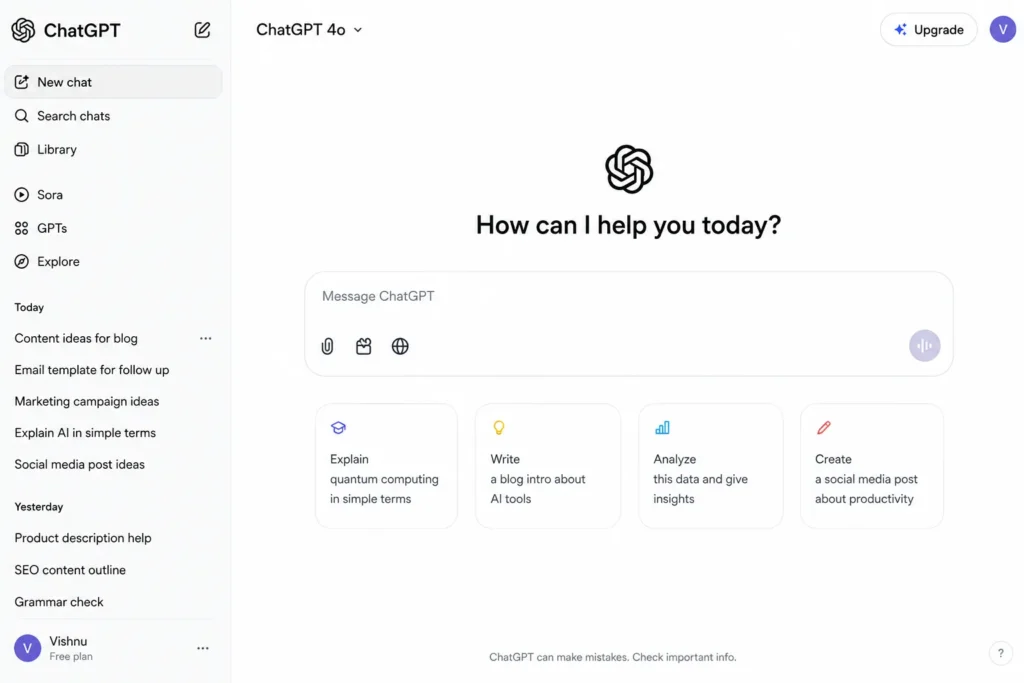
Content creators can use AI to develop outlines and generate initial drafts. Marketers can use it for campaign ideas and social media content.
AI can also help improve grammar, readability, and sentence structure.
However, AI should support human creativity rather than completely replace it.
Good content still requires:
- Original ideas
- Accurate information
- Human judgment
- Brand understanding
- Audience knowledge
Therefore, the best workflow is often AI assistance + human editing.
AI Visuals & Design Tools
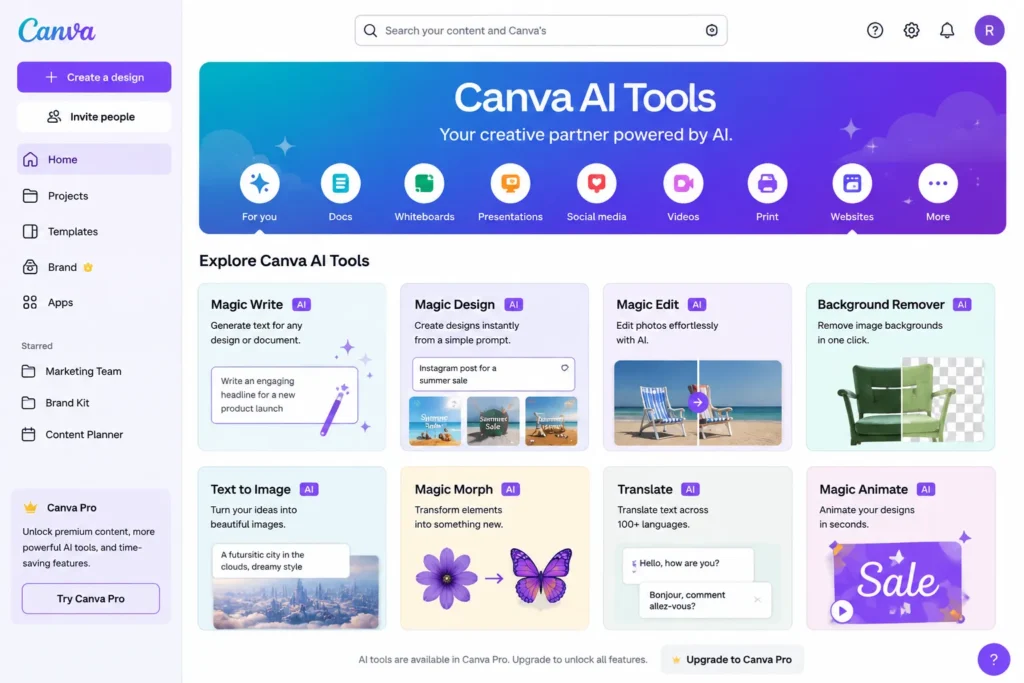
AI is also transforming graphic design.AI design tools like Canva AI, Adobe Firefly, and Midjourney can help users create:
- Images
- Social media graphics
- Presentations
- Marketing creatives
- Backgrounds
- Brand assets
- Image edits
A small business owner can describe a design idea and generate a starting concept.A marketer can create social media visuals without designing everything manually.AI image editing can also remove backgrounds, modify objects, and create variations of existing designs.
However, users should check licensing, brand requirements, and usage rights before using AI-generated assets commercially.
AI Audio & Video Tools
AI has made video and audio production more accessible. Examples include ElevenLabs, Runway, Descript, and Synthesia.
These tools can support:
- Video generation
- Video editing
- Voice generation
- Transcription
- Dubbing
- Audio enhancement
- Avatar creation
For example, a content creator can convert a script into a voiceover. A business can create training videos using AI avatars.
AI transcription can also convert recorded meetings or interviews into text.
This can significantly reduce the time required for basic production tasks.
AI CRM & Business Operations Tools
Businesses can also use AI to improve daily operations.
AI business tools can assist with:
- Customer relationship management
- Sales automation
- Lead management
- Customer support
- Marketing automation
- Workflow automation
- Business communication
For example, AI can help categorize leads based on their potential value.
It can also assist customer support teams by generating responses to common questions.
Businesses can therefore automate repetitive processes while allowing employees to focus on more valuable work.
Benefits of AI Tools
AI tools can provide several benefits when used correctly.
1. Improved Productivity
AI can complete repetitive tasks quickly. This allows employees to focus on higher-value activities.
2. Time Savings
Research, writing, analysis, and organization can often be completed faster with AI assistance.
3. Better Accessibility
People without advanced technical skills can use AI to perform tasks that previously required specialized knowledge.
4. Faster Content Creation
Marketers and creators can generate ideas, drafts, images, and other content more efficiently.
5. Business Automation
Businesses can automate repetitive workflows, customer interactions, and administrative processes.
6. Better Decision Support
AI can analyze large amounts of information and highlight patterns that may help people make decisions.
However, AI should support decision-making rather than blindly replace human judgment.
How to Choose the Right AI Tool
Choosing the best AI tool depends on your specific requirements.
Identify Your Business or Personal Need
Start by identifying the problem.
Ask yourself:
- What problem am I trying to solve?
- Who will use the tool?
- How frequently will it be used?
- Does the task require automation?
For example, a content creator may need an AI writing tool. A developer may need an AI coding assistant.
Choosing based on the problem is better than choosing based on popularity.
Evaluate Tool Capabilities
Next, compare the available tools.
Look at:
- Features
- Accuracy
- Ease of use
- Integrations
- Automation capabilities
- Output quality
A tool may have hundreds of features, but you may only need three or four.
Therefore, focus on features that directly solve your problem.
Consider Cost and Pricing
AI tools can have different pricing models.
Common options include:
- Free plans
- Paid subscriptions
- Usage-based pricing
- Per-user pricing
- API costs
- Enterprise plans
Free AI tools can be useful for beginners. However, professional users may need paid plans for higher limits and advanced features.
Consider the return on investment before subscribing.
If an AI tool saves several hours every week, its subscription cost may be easier to justify.
Check Privacy and Security
Privacy is an important consideration when selecting AI business tools.
Before uploading sensitive information, check:
- Data privacy policies
- Data retention practices
- Security features
- Business compliance
- User permissions
Avoid entering confidential customer information, passwords, financial information, or other sensitive data unless the platform’s policies and your organization’s requirements allow it.
Test Before You Commit
Do not immediately commit to the first tool you discover.
Use this process:
Test → Compare → Measure → Implement
Try a few tools with the same task.
Compare their:
- Accuracy
- Speed
- Ease of use
- Output quality
- Cost
Then select the tool that provides the best overall value.
How to Implement AI Tools in Your Workflow
Finding an AI tool is only the first step.
The real value comes from integrating it into a practical workflow.
Step 1: Identify Repetitive Tasks
Look at your daily activities.
Find tasks that are:
- Repetitive
- Time-consuming
- Data-heavy
- Easy to standardize
These are often good candidates for AI assistance.
Step 2: Select the Right Tool
Match the task with the appropriate AI category.
For example:
- Research → AI Research Tools (Perplexity, Consensus, Elicit)
- Writing → AI Content Tools (ChatGPT, Claude, Jasper, Copy.ai)
- Coding → AI Coding Tools (GitHub Copilot, Cursor, Codeium)
- Design → AI Design Tools (Canva AI, Adobe Firefly, Midjourney)
- Data Analysis → AI Data Tools (ChatGPT, Gemini, Julius AI)
Step 3: Create a Simple Workflow
Define exactly where AI will be used.
For example:
Research → AI summary → Human review → Content creation → Editing → Publishing
This creates a repeatable process instead of random AI usage.
Step 4: Measure the Results
Track important metrics such as:
- Time saved
- Cost saved
- Output quality
- Productivity
- Error rate
- Customer satisfaction
If the tool does not provide meaningful improvement, reconsider whether it is necessary.
Step 5: Improve the Workflow
AI implementation should be an ongoing process.
Test different prompts, tools, and workflows.
Keep what works.
Remove what does not.
Common Mistakes When Using AI Tools
AI tools are powerful, but they are not perfect.
Using Too Many Tools
You do not need an AI tool for every task.
Using too many platforms can increase costs and create unnecessary complexity.
Trusting AI Without Verification
AI can generate incorrect information.
Always verify important facts, statistics, research findings, and business information.
Ignoring Data Privacy
Do not upload sensitive information without understanding how the platform handles your data.
Focusing Only on Features
A tool with more features is not automatically better.
Choose the tool that solves your actual problem.
Replacing Human Judgment
AI should assist people.
Human review remains important for accuracy, creativity, strategy, and decision-making.
What Should You Focus On 2026?
The AI tools ecosystem continues to expand rapidly.
Instead of trying to learn every new AI application, focus on understanding AI workflows.
Learn how to:
- Find the right tool
- Write clear instructions
- Verify AI outputs
- Combine multiple tools
- Automate repetitive tasks
- Protect sensitive information
- Measure results
This approach is more valuable than simply collecting a list of AI tools.
For example, a digital marketer could combine AI research, writing, design, analytics, and automation tools into one workflow.
The goal is not to use the most AI tools.
The goal is to use the right AI tools effectively.
Conclusion
AI tools are no longer limited to experimentation. They are becoming practical solutions for productivity, research, content creation, coding, data analysis, design, and business operations.
There is no single best AI tool for everyone.
The right choice depends on your task, budget, workflow, and requirements.
The simplest approach is:
Identify a problem → Choose the right tool → Test it → Build a workflow → Measure the results.
Whether you are a student, freelancer, marketer, developer, or business owner, learning how to use AI effectively can help you work smarter and save valuable time.
The future of AI is not simply about having more tools.
It is about using the right tools to solve real problems.
